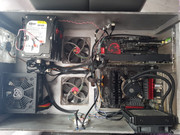
So, I finally set up what people call "positive pressure" while running at 100% load. My CPU package is hitting a max of 63°C, dipping down to 35°C—running at 1.3v and a 4.3GHz overclock—and the GPU is peaking at 68°C. This was all after a few solid hours of gaming, so honestly, I’m not losing any sleep over these temps.
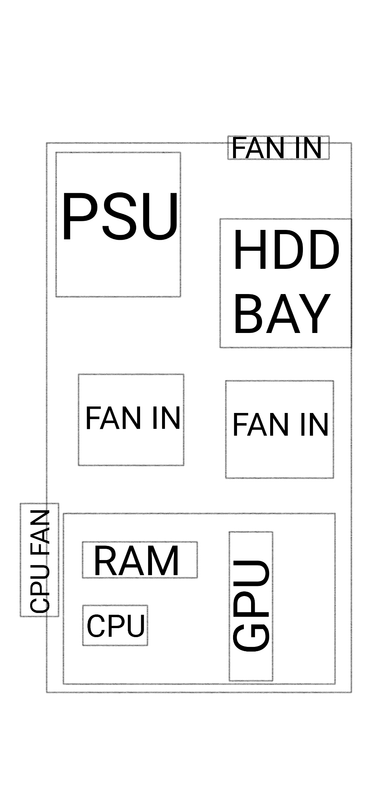
Haha, well, at least it’s actually moving some air. All three fans are pulling, too—one for the PSU, one for water cooling, and then there's whatever's venting right next to the GPU. Down below those two fans, there’s this Cooler Master filter that usually sits on top of the case (it’s magnetic, though the glue is currently melting from the heat), and over on the side, there's another filter that typically goes under the PSU when you're building the rig. It’s all just classic cheap particle board, really. I don't know, I guess I was just bored, so I decided to clear everything off the floor... might actually help with the dust buildup, if nothing else.
Everyone’s piling into this one warehouse over in the Netherlands because apparently there’s some loophole in the tax code—I haven't the slightest clue which one, honestly—that lets them dodge customs entirely. They get this 25% net price reduction that you pay upfront, and then at the end of the fiscal year when you're settling up with the IRS, you get it all back as a refund. If you buy stuff domestically here in the States, you're stuck paying the full sales tax immediately. It's a brilliant little setup they've got over there, if you can believe it. But looking at my own math, I actually end up paying more $267 even if they handed me that 25% discount on a silver platter. Honestly, even if I just buy it locally and deal with the headache of customs, sales tax, and all those other bureaucratic absurdities, I still come out ahead by $133 less
There’s no customs fee involved because everything gets routed through a warehouse in the Netherlands, and since we're within the US, you don't deal with customs on domestic shipments—you only hit those fees if something's coming from outside our borders. His company works with all sorts of other American IT firms; they handle just about everything, but mostly electrical gear and components. When he orders parts, he lists them under R&D expenses for the company. From what I've gathered, he stays well under whatever threshold would trigger any massive sales tax headaches.
I’ve been crunching the numbers—not that I’m a math whiz, mind you—but basically, we’re looking at almost double the cost for the exact same components. It’s a joke. Every time I need to pick up hardware, I run it through a buddy’s business to keep things tax-free and just handle the shipping separately, whereas here, they just bake the shipping costs right into the sticker price. Makes everything feel twice as heavy on the wallet.
I’ve got a question for you all... I stumbled upon this deal on Amazon, and it’s an interesting one: they're offering a Ryzen 5 3600X + Corsair Vengeance 2x8GB DDR4 3600MHz + MSI Tomahawk Max for $340. Is this actually worth grabbing right now, or should I just hold out for something better? I realize this would be a massive leap from my current setup, but looking at the specs, that motherboard seems like a beast for overclocking. My plan is to stick with my 120GB SSD and old hard drives for the time being, along with the GTX 1060 and the 750W PSU. Then, maybe next year, I'll pick up an M.2 drive, an RTX 20-series card, and who knows, maybe even another RAM kit. What do you think?
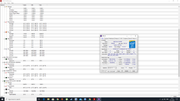
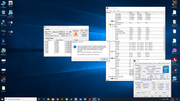
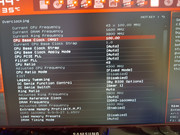
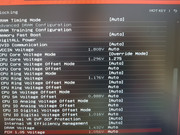
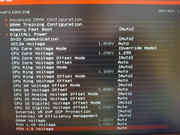
Just thought I’d drop a quick update on where things stand. Core number 3 is being stubborn—won't touch anything above 4.3GHz without pushing the voltage way too high. Core 1 hits 4.5GHz at 1.325V, while core 2 manages 4.5GHz at 1.330V. Then there's core 3, which barely scrapes 4.4GHz unless I crank it up to 1.375v. Couldn't even get to the fourth core because the third one just wouldn't cooperate. For now, I've settled everything at 4.3GHz @ 1.300V, applied a tiny 0.005v + offset, and ran through 25 IBT tests. AIDA64 held up for about 3 hours. From what I've read online, Haswell and Prime95 aren't exactly "best friends," so take that for what it's worth. Here’s the snapshot after the last round of testing: I'm definitely going to perform a Delid soon to deal with this nearly 10°C gap; I'd really like to see that variance back down to a more sane 0-5°C range.
These temps are actually looking pretty decent after a few gaming sessions, even under 100% load at 1.300v.
I haven't actually had a spare second to sit down and stress test every single core—work's been a nightmare lately—so I’m planning to dive back in tomorrow. I need to figure out exactly which core starts acting up once I push the overclocking too far. Honestly, the idea of my system just collapsing mid-task because of an unstable OC isn't exactly appealing to me. I'm not really looking to sink more money into "legacy" hardware either; I’m currently saving up to jump straight into something modern. The catch is, I’ll have to swap out the motherboard too, since there isn't much left worth buying for the 1150 socket. I think I'll just hold off for a bit longer and grab a platform that actually has some longevity, rather than buying something that leaves me stuck in a dead end. I'll post the results once I've finished all the testing.
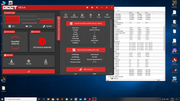
So, why is it that I can breeze through certain tests without a single hiccup, yet others won't even launch? I just spent some time gaming—no crashes or anything, mind you—playing Need for Speed Heat, Grand Theft Auto V, and Resident Evil 2. Everything seemed fine. But then, once I closed out of the game and fired up OCCT, the whole system just rebooted itself after maybe two minutes.
I mean, I’m certainly not going to go hacking away with a scalpel when there’s actual specialized equipment designed for the job... but honestly, that’s the least of my concerns right now. Does anyone actually have the lowdown on these software packages? How reliable are we talking here? When can I actually get moving on this project? I just need to know which software I can actually trust before I dive in deep.
I didn't say it would be a miracle cure, but looking back, it seems like Haswell era chips were shipped with some pretty subpar thermal paste. I doubt applying liquid metal is going to do much more than just provide a marginal improvement—it might even end up staying exactly the same. Honestly, the thing that’s actually keeping me up at night is this whole stability testing process...
I’ve finally got the panels up. I went ahead and used some hot glue to patch up those messy corners—it’s a bit of a hack job, but hey, it works. I even scavenged some weatherstripping from under my desk to seal the gaps, and I managed to get the rails sitting just right so everything actually fits. To hide the mess, I tucked all the cables under the box and slapped a piece of MDF over the bottom so none of that clutter is visible. Now, once I can get my hands on some 3D vinyl wrap, I’ll finish it off from the outside to give it that polished look.
My mistake, I wrote the wrong chip earlier—the CPU is actually an i5 4670k.
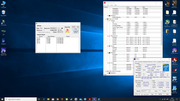
I'm running into some serious overclocking headaches here, and honestly, I’m starting to suspect the software itself is being inconsistent. It’s maddening. When I fire up Prime95, the whole system just freezes and reboots on me. Then there's OCCT, which is a total disaster; the error count just skyrockets, hitting 100 errors in a matter of seconds. Meanwhile, AIDA64 runs perfectly fine for two hours straight, and the Intel Burn Test holds steady through 10 rounds of the Very high 10 setting. I've got some screenshots to prove this madness.
Right at the start of the test... either CPU-Z is glitching out or it's giving me completely bogus voltage readings.
(image)[/IMG]
Just look at how fast those errors pile up.
Intel Burn Test
Prime95 after just a few seconds...
I've already cycled through the BIOS settings, trying it both with XMP enabled and without it. No difference whatsoever. Just more of the same headache.
At 4.3GHz and 1.230v, everything stays rock solid on AIDA64 and IBT. But the second I touch OCCT? Immediate Blue Screen of Death.
If I push to 4.4GHz at 1.95v, it manages about 15 minutes on OCCT before it falls apart, then Prime95 crashes instantly. Yet, strangely, AIDA64 and IBT act like nothing is wrong. Even at 1.75v, they stay stable while OCCT just collapses immediately.
I'm planning to delid the processor and apply liquid metal. I mean, it’s probably overkill since the temps aren't even that bad—even under the Intel Burn Test, it doesn't get scorching—but I've been using this chip for years now, so why not? A buddy of mine is lending me some Rockit 88 for the delidding process. I'm just waiting on the thermal interface material to arrive; I ordered some Grizzly CONDUCTONAUT and KRYONAUT from overseas, so I'm just playing the waiting game. It's just this weird instability across different programs that's eating at me. Up until now, it was perfectly happy at 4.0GHz with 1.200v. The rest of the build: MSI GD65 Z-87 NVIDIA GeForce GTX 1060 Kingston HyperX RAM, EVGA XF 750W, Samsung 120GB SSD EVGA XF 750W Samsung 120GB SSD Samsung 120GB SSD 1TB SSHD 500GB HDD
The drawer dimensions are 62x38, which is where the keyboard usually sits, but I’m actually thinking about gutting it to turn it into a PC case. There aren't any side drawers, so it's basically just an open shelf space here. The PSU will sit against the wall, and the motherboard will go in the empty void. Conf is I5 4670k @ 4.5 ghz Kingston HyperX 16GB 2666 2x8 MSI GD 65 XFX 750W PSU Gainward 1060 6GB Seidon 500 120 XL Thermaltake Thermaltake 120mm fan 3-pack I've got an Intel SSD at 120GB for the OS, one 500GB SSHD, and two 2TB WD HDDs. So, what I'm wondering is... will this be a total thermal disaster? I have dust filters ready, and I'll run the cables underneath the drawer so they don't clutter up the interior—at least, that's the plan, anyway. Hopefully, my vision isn't completely flawed. bbcode link image
So, I’m attempting this whole dual-boot setup... everything runs perfectly fine on Windows 7, but the second I try to boot into Windows 8.1, it just completely hits a wall and refuses to work.
Torrent... first I went through the whole ritual of installing the OS, then I went ahead and loaded up everything from their official disc (MSI). I handled the graphics card drivers manually, and then used Live Update 5 to push every single driver up to the latest version. Now, I’ve gone and wiped it all to install a fresh Windows 8, did the exact same dance with the drivers, ran the official Windows update, and yet... nothing. It still doesn't work. Just great.
I tried running a scan, but nothing. Absolute zero. So now I'm sitting here digging through some old forums about Windows 8, hoping for a miracle. Apparently, once you get it installed, the OS is supposed to just... find everything? Just magically grab all the drivers it needs to actually function. I even went as far as trying to uninstall the Intel USB 3.0 controller entirely, just to reinstall them straight from the disc, but—surprise, surprise—still nothing. That little light next to the USB mass storage remains dead. Just dark.


 bbcode link image