Sam Peterson6 said:Ugh, one thing is seriously driving me nuts. Every single file on my computer is assigned to a specific program that opens it by default, so you get that little icon preview to tell them apart. But for some reason, my PDF files aren't showing any icons at all! It’s making it impossible to tell what kind of file I'm looking at without clicking everything. Does anyone know how I can get the default program's icon to actually show up for PDFs?
I'll attach a screenshot so you guys can see what I mean
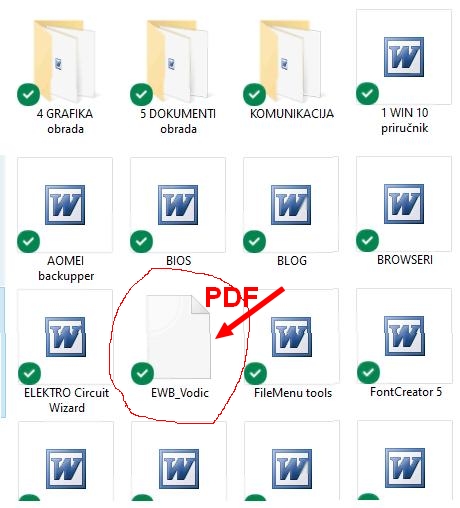
If it’s only PDFs lacking icons, then you clearly know exactly what any iconless file is... obviously. It's a PDF. 🤷
Try setting a default application for those PDFs:
- right-click on a '
.pdf' file
- under "
Open with" options, select "
Choose another app"
- check the box for "
Always use this app to open .pdf files"
- select the program you want to use for '
.pdf' files
If that isn't the issue
(meaning you already set a default program) try deleting the '
IconCache.db' file located in the '
.../your user account/AppData/Local/' folder, then restart '
Task Manager' and refresh '
Windows File Explorer' The video isn't groundbreaking, but it might serve as a basic guide:

