

#1 ·
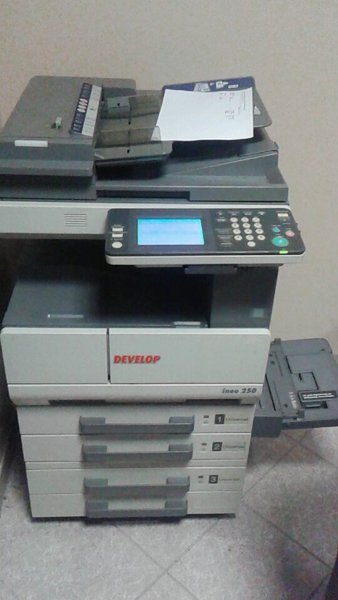
So, the other day I ended up yanking the modem out of the wall and disconnecting it from my computer because I had to move things around, and ever since then, scanning just isn't working. Printing directly from the PC seems perfectly fine, but when I try to scan, I start getting these error messages... instead of the scan popping up on my screen as a PDF like it’s supposed to, the machine just spits out a physical piece of paper stating there was an error. That printed error slip is what you see in the first photo, sitting right above the printer.
I'm guessing maybe I need to go back into the settings and re-establish the path so the scanned files actually show up in the same folder they used to go to, but honestly, I'm no tech expert here. Does anyone happen to know how to fix this?...
This is the printer I'm using. It should be a Xerox Altalink.
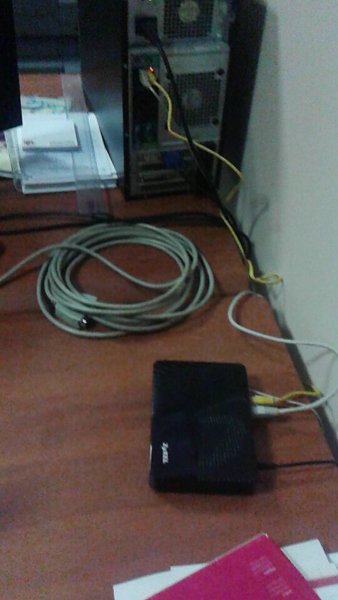
And this is the white cable running from the unit into the modem.
I'm guessing maybe I need to go back into the settings and re-establish the path so the scanned files actually show up in the same folder they used to go to, but honestly, I'm no tech expert here. Does anyone happen to know how to fix this?...
This is the printer I'm using. It should be a Xerox Altalink.
And this is the white cable running from the unit into the modem.