Not really. You won't find any massive discounts on hardware because most budget retailers are operating on razor-thin margins, anywhere from 2% to 10%.
I've noticed some stores acting like it's Black Friday, but in reality, they're just taking items that were artificially marked up and dropping them back down to their actual retail price.😁
You don't even need a DVD drive if you have a clock
You can just have them build it at the shop where you buy the parts, though I'm not sure if they'll charge you an assembly fee if you aren't buying the entire PC from them
It’s almost certainly a basic stock cooler causing that noise, paired with a budget motherboard—you might even be seeing thermal throttling down to 1.4GHz, which would tank your performance. My guess is the power supply is total junk, but you should definitely double-check that first.
Like wiredotter14 mentioned, for those specific games, he doesn't really need to overhaul everything right now. That is, unless he moves on to newer, more demanding titles (which is bound to happen), especially within the same genres like Total War or Civ VI.
Could you upload a screenshot from AIDA64 or Speccy so we can see the component breakdown? We should definitely keep the drive info. You could also include a photo of the case—if the model isn't listed on your receipt, just snap a picture of it. To check the power supply, try finding the model name on the invoice or the original box; if that’s not an option, you'll likely need to pop off the side panel and check the sticker on the PSU itself.
It is entirely possible that all you really need is a more powerful graphics card, perhaps some extra RAM, or something similar. Alternatively, you might be looking at a full platform upgrade (CPU, motherboard, and RAM) plus a new GPU, and potentially a new power supply.
It’s not the GPU’s fault; you're just struggling with some messy cable management, and honestly, you probably could have gone with a smaller 550W power supply
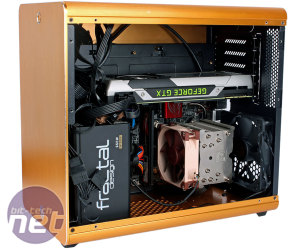
Just a heads-up: when you're working with an mATX motherboard (the one in the photo is actually an ITX), the GPU slot sits a bit higher up. A card like the GTX 1050 is pretty compact—it's definitely not some massive titan of a card.
Your motherboard doesn't even need to be an ITX; you could go with an mATX instead, which is much more budget-friendly and offers way better variety. Ditch that 128GB m.2 SSD. You're much better off taking that money—plus whatever you get from selling your old gear—and putting it toward a decent graphics card.
If you're looking for the best bang for your buck, the XFX rx 480 4gb is your winner, though keep in mind it’ll run hotter than the other two options. You might run into some bottlenecking with that i3 in certain games, but honestly, it’s not a terrible pairing.
It might actually be smarter to grab a cheaper xfx 470 that has a custom cooler installed.
It draws power directly from the PCI-E slot, and your CPU isn't exactly a massive power hog. As long as your PSU can deliver more than 150W on the +12V rail, you should be golden...
When it comes to power supplies, official manufacturer specs for GPUs are pretty much irrelevant. You can find two different vendors using the exact same chip—say, an R9 290—where one card is rated at 500W and the other at 750W, so that doesn't tell you much. Plus, not all power supplies are created equal; even if they claim the exact same wattage, the actual quality difference can be night and day.
Look, all i3 processors are dual-core, but they feature Hyper-Threading, which gives you 4 threads. The real question is which generation we're talking about, because an i3 from six years ago is a completely different beast compared to a modern one.
1 x Intel Core i7-6700 (3.4GHz, 8MB, LGA1151) box 1 x MSI B150M PRO-VDH Desktop Motherboard 2 x Kingmax 8GB DDR4 2133MHz 1 x 256GB ADATA SU800 SATA 3D NAND SSD 1 x 1TB Toshiba P300 7200rpm, High-Performance HDD 1 x NVIDIA GTX 1050 Ti 4GB GDDR5 1 x Fortron Hexa+ 400W, 80+ 1 x Zalman T5 Mini-Tower ATX case, black, no PSU
Total: $2253 IT Futura includes free assembly and shipping
Dell
The only real question mark here is how much weight the GPU carries for photo editing versus video rendering. In Lightroom, I suspect it won't be a huge factor (the integrated graphics should suffice), and in Photoshop, it likely only impacts specific elements. If this is stretching your budget too thin, you could always cut the card out—you can always upgrade later. As it stands, this build offers solid value for the money.
Install your OS and all your software on the SSD. Use the HDD strictly for bulk storage.
The real issue is that All-in-One systems are a total disaster when it comes to value. For that kind of cash, you could build something with significantly better hardware—plus, if your motherboard dies right after the warranty expires on an All-in-One, you’re basically stuck with a paperweight...
Are you strictly limited by space, like maybe looking at an ITX or Micro-ATX configuration? Are you based in the US or Germany?