CheckEmoji Community · the emoji forum
🏠 Home 🆕 What's new ❓ Unanswered 🔥 Popular 📡 RSS Members 👥 0 online log in · register
Home › Andrew Miller102 › Posts

Posts by Andrew Miller102

227 posts shown.

Stuck in a malware loop in IT Support ·
driftingcanyon2 said:McAfee is notorious for clashing with other AV tools along with various other programs, and the bloatware is right up there with Norton Antivirus, which I can only describe as 🤮 . You’re better off grabbing free Avast plus free Malwarebytes plus ZoneAlarm; that combination won't eat your resources and gives you full protection for zero dollars.

That’s all nonsense for one day, or does anyone have anything else to toss in casually?😁

Only someone incredibly uninformed or a complete novice would run two or more active AV tools on Windows.

McAfee Security Cloud Free, when paired realistically with Norton Free antivirus, represents two of the most budget-friendly AV solutions out there—and they don't cost a dime. My recommendation leans toward McAfee, as it is a significantly better and more polished tool. Norton Free has limited options, and its interface is honestly garbage. McAfee is very lightweight, making it suitable for any modern computer or PC today. You won't even notice McAfee running on Windows, except for those moments when it catches some malware or flags something suspicious in today's web circus.

Saying Norton is overrated is a joke, but you're actually talking pure nonsense here. I wouldn't use or recommend Norton even if they paid me to.

McAfee will disable Windows Defender during installation, unless that pathetic Antivirus coming straight out of the Microsoft factory is somehow different. That is how it works by default; regardless of which Antivirus you install, it is going to shut down or put Windows Defender to sleep.

I use McAfee Security Cloud Free, and I wouldn't recommend that Avast junk to anyone under any circumstances.

On Windows, you don't need any special firewall; it doesn't offer much benefit and will only slow down your browsing. If you want, just leave Windows Firewall active, because a separate software firewall is nothing more than a useless gimmick.

Instead of rambling about specialized firewall software, we should highlight the essentials: Adblock in your browser is mandatory.Without it, pleasant and secure browsing isn't possible these days, yet plenty of people still don't use an Adblock tool at all.🍿
GPU Buying Guide - (Read first post) in Desktops ·
Sean Ruiz33 said:Does anyone know where I can pick up an RTX 3060 Ti at a decent price including shipping?

The current state of the GPU market,😵 or more accurately, the total drought paired with reasonable pricing, just doesn't exist right now. If we get lucky, maybe things will actually start looking up in 2022.😵
Best CPU cooler for AM3? in Hardware ·
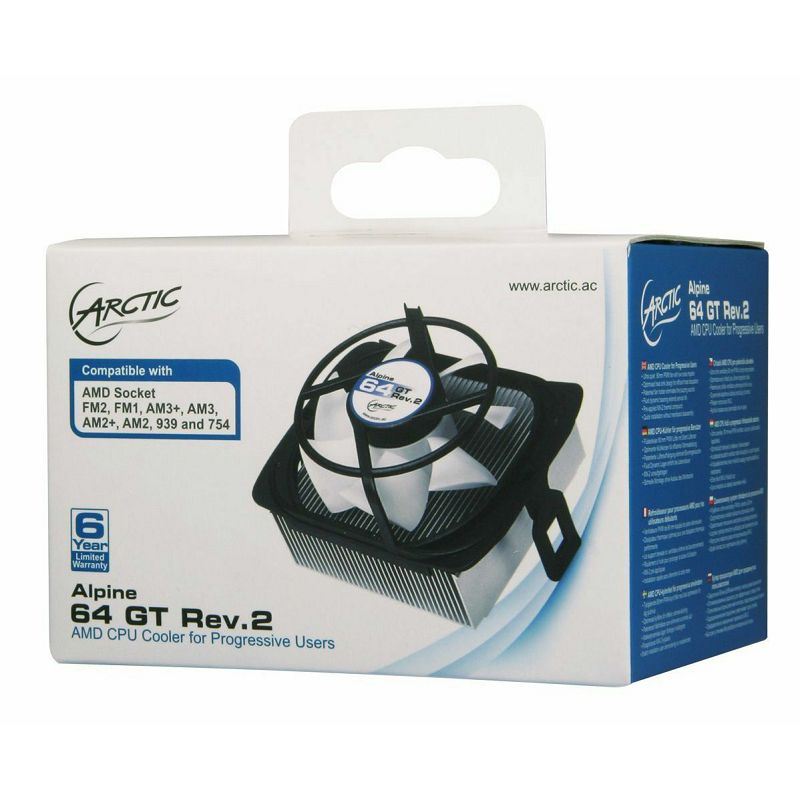
wanderingpanther68 said:I’ve been running an Alpine 64 plus cooler for years now, and honestly, I couldn't be happier with it; it keeps my quad-core Phenom running ice-cold, though
it seems to have vanished from the market entirely, which is a shame because I picked mine up back at Best Buy
.
Maybe something along these lines:

This is the one I’m using, bought way back around 2015—nothing flashy by any stretch, but it’s served me incredibly well, and the installation was so effortless you could practically do it with your eyes closed.

image

No, definitely not any of those,😁 especially that pathetic Spire for that kind of money. It's an overpriced piece of junk that's below average quality, and it comes with a cheap 9cm fan.

Besides, even though it has three heat pipes, that Contact 9 isn't anything special either, plus it relies on another cheap fan that won't last very long. Both the Spire and the Contact 9 suffer from the same practical flaw. For the AMD Socket, they use a clip design that attaches to the default plastic, which is pretty poorly and flimsy engineered. That kind of system requires you to apply a bit of force—basically forcing it—so if someone doesn't have a feel for it, there could be issues. Simply put, it's cheap with bad design, or total garbage compared to the Arctic solution, which doesn't require even a hint of force or pressure during setup. The old star Spira Coolgate 2011 has an almost identical installation system on the AMD socket. I used that one for about five years, and you do have to be careful when installing it. You shouldn't apply too much pressure to the clip, as it sits a bit awkwardly on the default AMD plastic CPU cooler mount. As a CPU cooler, the star Spira Coolgate 2011 is great, but the installation process is a major downside.

https://www.legitreviews.com/spire-c...er-review_1934

Regarding a more affordable CPU cooler, I would recommend the Arctic Freezer 7 x available here. I picked that cooler up on sale last year for $33. The current price is what it is, but again, you're getting a significantly better fan and a superior design, which means a very easy installation.


https://www.nabava.net/search.php?q=arctic+freezer+7+x

In terms of value, the only thing where "you get what you pay for" applies is the Lc Power LC-CC-95. Installation on the AMD socket is practically almost identical to the Arctic CPU cooler. If I were buying one right now, I'd go with the aforementioned Arctic model again.🍿

https://www.nabava.net/search.php?q=LC+Power+LC-CC-95

mellowtiger83 said:It’s been a while since I’ve picked up any hardware, and seeing these prices is a bit of a shock; there's no way I paid full price for a Ryzen 5 2400G$467 just six months ago$263.

Wtf

There's a Ryzen 5 3350G available for $333. At this point, it stands as the only sensible option if anyone is looking to pick up an older AMD Ryzen 4/8 Core APU right now.☕
Timothy Kim60 said:Andrew Miller102, honestly, those quad-core chips just aren't cutting it anymore. $433Even if they were some kind of high-end APU, it wouldn't matter because, since SMT isn't worth nearly as much money as it used to be, the value just isn't there anymore.Not even then. $333Those were the glory days, honestly. Even now, Intel is still pushing 4-core/8-thread chips for around $600—and that’s without any integrated graphics, which just doesn't make sense. It's especially ridiculous when you consider that AMD was selling the Ryzen 5 Pro 4650G, a 6-core/12-thread APU with even better integrated graphics, for about $1,450.$500Well, before these unfortunate shortages hit...

It looks like it turns out that... $433 If you pick up a faster CPU like the Intel Core i3-10100F along with a dedicated GPU, you could hit that target price point. $433Buying a used GPU for that kind of money is a bit of a gamble. $200 What else can be picked up for around $500 if I want to stay quiet about it? An RX 570 4GB could probably fetch a decent chunk of that.$200). AMD really needs to recalibrate the pricing on those APUs.

Prices are exactly what they are.😁 Whether you're looking at CPU or GPU hardware, it’s essentially the same story. I’m just commenting on what's actually available on the market right now. Honestly, there is zero sense in buying some outdated 14/12nm APU when you could spend that same amount of cash on something significantly better. $433.

If you're looking to pick up a budget PC—meaning something without a dedicated graphics card where you just want decent integrated graphics for some light gaming—Intel doesn't really have anything to offer in that department.You could certainly consider that a solid purchase, picking up an Intel Core i3-10100 for that price. $317The integrated graphics on this thing barely manage to keep pace with the AMD Athlon 3000G.

I've been looking at the specs for that AMD Athlon 3000G setup, and honestly, it’s a pretty straightforward little machine for what it is. If you're just looking to get some basic tasks done without breaking the bank, it does the job adequately enough. It isn't going to win any awards for raw power, but for a budget build, it's a solid starting point.

It seems AMD is logically prioritizing the more profitable CPU and GPU segments right now. At this stage, a dedicated AMD Desktop CPU or GPU has clearly taken a backseat. They’ve diverted most of that 7nm production capacity toward Renoir Mobile PCs instead. Essentially, they're focusing on Renoir Mobile PC first, and whatever scraps are left over end up in those Desktop OEM builds.

Is it even possible to buy this? AMD Athlon 3000GRight now, you can't find it anywhere, not even here in the States. If anyone is actually selling one, Americans are asking around $100 to $120 for it. I picked up my unit for an Athlon User at... $133I picked this up back in March, and honestly, it was the perfect low-cost entry point into the AM4 platform—exactly what you need when you just want something functional while waiting for a planned upgrade down the road. These days, AMD doesn't really offer that kind of budget-friendly APU gateway on AM4 anymore; everywhere you look, there’s just a shortage, so if you find one, grab it before it's gone.

I am one thousand percent certain that I’m going with the Ryzen 3 4350G, as that has been my planned upgrade from the very beginning. I don't really have any need for additional CPU power at this stage; I'm just looking to build a typical low-power HTPC connected to a 4K TV. While I could go out and pick up the Ryzen 3 4350G right this second, I think I'll wait a bit longer to see how the market develops and hopefully catch a better price.

Given how dead the market is right now, I could probably offload my AMD Athlon 3000G without any real hassle for... $150If anyone thinks that's too much or just unrealistic, they should go find an Athlon User somewhere else who's willing to take less cash.🙂
Alexander Moore67 said:What are you talking about—both of these CPUs are rated at 65W.
Shading Units
704 versus 384.
TMUs
It’s essentially a choice between 44 and 24.
And if you want to go even cheaper on the motherboard, that's an option too.

I didn't even mention the TDP.😁 Honestly, you shouldn't even bother looking at that TDP because it's pretty much irrelevant.You only need to look at performance per person, because that’s really what matters—how much actual work a component gets done, whether it's the CPU or the GPU, relative to how much power it pulls to finish the job.

I’ve been looking over the specs on this setup, and honestly, it’s a pretty straightforward build for anyone just trying to get something up and running without spending a fortune. You’ve got the AMD Ryzen 5 Pro 4650G sitting in an ASUS Prime A320M-K, which is a solid enough pairing if you aren't planning on doing anything too crazy. It’s essentially a "plug and play" situation where the integrated graphics handle the heavy lifting for basic tasks, making it a decent little workstation for someone who doesn't need a dedicated GPU right away. The storage side of things is fine, using a Western Digital drive, and the cooling shouldn't be a major issue since you're running an EVGA 400W unit paired with a Cooler Master Silencio case. It’s a quiet, tidy little machine. If you're looking at performance benchmarks, like running Cinebench R20, you'll find that the Zen 2 Ryzen 3 Pro 4350G architecture—or even the slightly beefier Ryzen 5 Pro 4650G—holds its own quite well for daily productivity. It isn't going to break any world records, but it certainly won't struggle with standard American office workflows or light multitasking. It’s a practical, no-nonsense approach to building a PC. You aren't chasing bleeding-edge enthusiast speeds here; you're just building something reliable that works.

I wrote that I meant either the AMD Compute Units or the graphics cores.

One Compute Unit consists of 64 shading units.


The Ryzen 3 Pro 4350G features 6 cores, paired with integrated graphics running at a clock speed of 1700MHz.

The AMD Ryzen 5 Pro 4650G features 7 compute units and an integrated graphics frequency of 1900MHz.

The Ryzen 7 Pro 4750G features 8 cores and an integrated graphics clock speed of 2100MHz.

The Ryzen 5 2400G features 11 compute units, with the integrated graphics running at a clock speed of 1250MHz.

The Ryzen 5 3400G features 11 compute units, with the integrated graphics running at a clock speed of 1400MHz.


The older Ryzen 5 2400G with its Vega 11 Integrated Graphics is actually slightly faster than the Renoir APU with 6 Compute Units. While the gap in GPU performance isn't massive, you have to keep in mind that the Renoir CPU side is significantly faster across the board. At the exact same price point, buying that old 14nm APU just doesn't make any sense. You shouldn't buy it unless you're looking to slap yourself in the face.

I just finished watching this video, and I have to say, it provides a pretty clear look at how these components actually perform under pressure. It’s one thing to read spec sheets, but seeing the benchmarks laid out like this gives you a much more grounded sense of what you're actually buying when you're putting together a build.

The Zen R5 2400G with its 11 compute units on a 14nm process is frankly overpriced, and honestly, the Zen+ R5 3400G at 12nm is the exact same story since we're just looking at outdated hardware at this point. If you actually care about performance per dollar, the Zen 2 Ryzen 3 Pro 4350G absolutely crushes both of them.

Generally speaking, those older 14nm or 12nm models just can't compete on a per-watt performance basis when you stack them up against the 7nm Renoir APU series. They didn't include the Ryzen 5 2400G in this specific power consumption test, but if they had, the entire system would have likely pulled around 125W. Keep in mind that this figure represents the total draw for the whole setup, or rather, what was measured during the Cinebench R20 CPU rendering test. Since the TDP for every model shown in the photo is rated at 65W, those official TDP labels aren't really worth much in this context.

The latest Cinebench R20 multi-core benchmarks have finally dropped, and if you're looking at how these chips stack up in heavy workloads, there’s plenty to unpack here. It’s one thing to look at single-core speeds, but the real story is always in the multi-core performance when you actually put a load on the system. Looking through the data, you can see exactly where the value proposition lies for different builds. It isn't just about raw numbers; it's about seeing which architectures actually hold their own when things get intense. For anyone planning a build or upgrading an existing setup, these results provide a pretty clear roadmap of what to expect from the current generation of processors.

image

Bottom line, picking up the Ryzen 3 Pro 4350G Renoir combo really is the smartest move for anyone looking to get the most bang for their buck. $433.

If you're looking to save some cash, there are plenty of budget-friendly options available right here. Ryzen 5 3350G I'm ready to get to work. Just send over the content you need me to overhaul. $333It’s a solid, budget-friendly B450 motherboard that actually delivers.

I’ve been looking into the AMD Athlon 3000G, and honestly, it’s a decent little chip if you aren't expecting much from it. It’s fine for basic tasks, but don't go thinking it's going to handle heavy lifting. For anyone just trying to get a simple system up and running without breaking the bank, it does the job adequately enough.

The package doesn't include a CPU cooler, but that's expected since this is an OEM tray version. A decent cooler isn't exactly a huge investment anyway; you could just grab an EVGA Power Supply unit or, if you want something significantly better, go with the Arctic Freezer 7 for just a little bit more.☕

If you're looking at the specs for the AMD Ryzen 5 Pro 3350G, you're essentially looking at a solid, dependable workhorse designed for those who need reliable performance without a lot of unnecessary bells and whistles. It’s built for efficiency and stability, making it an ideal choice for office environments or home setups where you want things to just work every single time you hit the power button.

It’s a 12nm Zen+ Ryzen 5 3350G featuring 10 compute units and an integrated graphics frequency of 1300MHz, which essentially makes it the more budget-friendly sibling to the R5 3400G.

https://www.nabava.net/search.php?q=lc-cc-95

https://www.nabava.net/search.php?q=ARCTIC+Freezer+7+X
Issues with Flash player in IT Support ·
Drew Sanchez82 said:The folks over at Google probably saw this coming and got ready for it 😁

Oh, come on now. I bet you've got all the usual suspects saved in your bookmarks 🤣
I still remember watching that Sex Tape movie with Cameron Diaz back when she actually looked good; I think Jack Black rattled off like thirty different porn sites in one scene 🙏

I haven't even had Flash enabled for two years now.😁 When you check your Task Manager and see just how much CPU power Flash devours, the whole argument ends right there. As for those various trashy Flash porn sites, my Norton marks them as Blocked regardless. For some reason, Norton claims they're being blocked because there aren't enough Russians on them, which is pretty strange.🙂
Alexander Moore67 said:You've got your wires crossed; that isn't an R5. No, it's the Ryzen 3 Pro 4350G. And besides, the integrated graphics aren't even that good.

I've run into a massive problem.😁 I can see how I might get mixed up myself; swapping a 5 for a 3 happens, and those little mistakes just slip in.

Having a slightly weaker GPU isn't really an issue because you have to look at the entire Renoir APU package as a whole. The performance-to-power ratio is excellent, which makes this a very efficient processor or APU.

They seem to have that in mind. 6GB GPU Comparing the performance of an 11CU GPU against the AMD Ryzen 5 2400G.

The Renoir CPU features integrated graphics that boast roughly 25% higher GPU IPC, paired with significantly higher clock speeds.☕
Issues with Flash player in IT Support ·
Kenneth Cruz67 said:I was just wondering, will I still be able to watch adult content after January 1, 2021?

It seems like all my favorite sites are still relying on Flash 🙂

😁

Most of the major or high-quality porn sites😁 have already transitioned over to HTML5 by default—just try googling Chaturbate to see for yourself. Basically, if you're looking at the stuff you actually enjoy, it's likely either outdated junk or just poorly designed websites.☕
Home office PC build ideas? in Desktops ·
wiredotter14 said:@Cilim if you can swing the budget for a GTX 1650 Super, it’s a much better value than the GTX 1050Ti.
If the 1650S is out of reach, go for the 1050Ti since it's significantly stronger than integrated graphics and will handle most games reasonably well.

@Andrew Miller102/">@@Andrew Miller102, take it easy, the guy is just trying to pick out a GPU.

"I mentioned it just as an aside," as if I'm blind to what's being bought here. 😁 Besides, it really is absurd that they're still pushing that ancient HDMI 1.4 standard—which hasn't been relevant since 2009—onto modern motherboards and sockets even now in 2020.🍿
Home office PC build ideas? in Desktops ·
wanderingbison9 said:Regarding HT, HDMI 1.4 might but it doesn't necessarily have to be an issue, depending on what you're watching. If you're watching movies, 24 Hz is perfectly sufficient—actually preferable—because whether you're running at 24 or 60 Hz, the source material is still 24 fps, which leads to pull-down judder on a 60 Hz display. 30 Hz isn't really a standard; 50/60 Hz is intended for sports, news broadcasts, or certain series. It's far from being true that you'll get a headache from 30 Hz while 24 Hz remains fine. I think the link you provided is mistaken on several counts; when they slowed down 30 fps by 50%, they ended up with 15 fps, which obviously results in heavy stuttering, whereas 30 fps itself isn't usually that bad (like slowing 60 fps by 50% gives you 30 fps). Furthermore, 99% of high-action movies are shot at 24 fps, with the exceptions being things like Hobbit at 48 fps or some of the newer Ang Lee films.

At any resolution, 30Hz is a problem. :D And I'll say it again: it looks terrible and you'll notice it immediately or very soon after. There’s nothing more to say there, unless you want to look at that lower link regarding the issues with 30Hz at 4K resolution. Simply put, the guy ran into a problem he didn't know how to fix. Most people realize right away that something is off with a 30Hz image, so they come looking for help to deal with that 30Hz nuisance. Scroll four posts back and you'll see that I solved that specific problem myself, and the 30Hz nuisance is gone. ☕

wiredotter14 said:It clearly shouldn't be difficult to find a cheap motherboard with HDMI 2.0 anyway. The ones @Tirox mentioned have it. The Gigabyte DS3H has it too, and it costs around $50 or so. But regardless, there's clearly a budget set aside for an i3 plus a GPU.

Even that slightly more expensive Gigabyte model is expected to have HDMI 2.0.:D I intentionally pointed out the cheapest Gigabyte B450 motherboards. That's the main point, or rather, the point should be that you can get a decent motherboard if you spend just a little extra money. The DS3H is basically the same story as the S2H—identical voltage regulation and passive heatsinks on the VRM. Having one extra PCI-E slot for a graphics card isn't much worth mentioning. While the DS3H does have four memory slots, that isn't even a significant advantage for most buyers. Most people building their own rigs typically just buy 2 x 8GB of RAM and call it a day. 👍

https://www.gigabyte.com/Motherboard...DS3H-rev-10#kf

https://www.amazon.com/motherboards...-ddr4-92851951

Joshua Garcia3 said:So, I've finally narrowed my list down to these specific parts:

ASUS Prime H410M-E Motherboard, Intel H410, LGA1200, micro ATX - $166
CPU Intel Core i3-10100F, 3.6GHz (Turbo 4.3 GHz), LGA1200, boxed, no integrated graphics - $231
Memory Corsair Vengeance DDR4, 16GB DDR4 3200MHz, CL16, (2x8GB) - $185
480 GB CRUCIAL BX500 SSD, CT480BX500SSD1, SATA3, 2.5", max up to 540/500 MB/s - $139
1TB Seagate Barracuda HDD 3.5" 7200rpm, 64MB, ST1000DM010 - $99

The only thing left is picking a GPU, so the choice is between a GTX 1650 Super or a GTX 1050 Ti?

I wouldn't go with that standard SSD, because if $17 speed isn't an issue for you anymore, then the Kingston m2 NVMe model is incomparably faster. It's basically the current best buy on the market with zero competition, plus you get five years of warranty.

https://www.nabava.net/search.php?q=...A2000M8%2F500G

That Intel motherboard doesn't even have HDMI 2.0 if you ever end up needing it, which is just a case of "let's cut corners on the Intel components to save a buck." :ban:
Alexander Moore67 said:I'm looking at the Ryzen 3 2200G. $264
ASUS Prime A320M-K motherboard $126
Patriot DDR4 16GB (2x8) running at 3200MHz.
Corsair Vengeance, PVS416G320C6K $168
EVGA 400W $111
Kingston 250GB SSD, A2000, M.2 $98
Western Digital 1TB 3.5" 7200rpm, 64MB, P300. $97
Cooler Master Silencio Midi Tower Black case. $68

I saw a listing on Craigslist for about $2,800 cash.
If you ask me, I’d personally add... $167 Regarding the Ryzen 5 2400G CPU.
If I were picking out a monitor, I’d probably just look for something used.

Look, man, the Ryzen 5 2400G is just way too overpriced.😁 The processor is significantly weaker than the AMD Ryzen 5 Pro 4650G, which carries a much higher price tag. $433.

I've been looking through some listings for the Ryzen 5 2400G, trying to get a sense of what the current market looks like for that specific chip.

You really should just pick up a new A520 motherboard; the price difference isn't even that significant. $40 It’s really that simple. By default, any A520 motherboard on the market supports the Renoir PC.

To put it simply, you really can't go wrong with either of those motherboard combos paired with the AMD Ryzen 5 Pro 4650G.


I was looking around for an ASUS A520M S2H online today.

I was browsing through some listings for an ASUS A520M-H, looking at what's currently hitting the market.

It’s pretty fresh news that ASUS just dropped a new BIOS update for those older B450 motherboards, which means they already include support for the Renoir APU if you go ahead and run the update.

The AMD Ryzen 5 Pro 4650G delivers an 18% boost in IPC while simultaneously cutting power consumption by 40 to 50W under full CPU load.

The 7nm Renoir CPU is a coveted monolithic design, which stands in stark contrast to those older 14nm Ryzen CPUs that essentially have nothing but mayonnaise or toothpaste sandwiched between the heat spreader and the silicon.☕
Home office PC build ideas? in Desktops ·
I'm still waiting on an update regarding the status of this particular matter. Andrew Miller102 says:
Here is my current setup:
Intel Core 2 Duo E8600 running at 3.33 GHz.
The power supply is an EVGA 500W Power Supply.
Corsair Triton 180 case, silver.
Nvidia GeForce 9600 GT
6GB of RAM.

This current setup just isn't going to cut it if you're planning on running Fortnite, given its requirements:

If you're looking at what it takes to actually get this running without your rig catching fire, here are the minimum system requirements you'll need to hit.

Video Card: Intel HD Graphics 4000
Running it on a PC. You could go with the Intel Iris Pro 5200 or an equivalent AMD GPU if you're running on a Mac.
The processor here is an Intel Core i3-3225 running at 3.3 GHz.
Memory: 4 GB RAM
Operating System: Windows 7/8/10 64-bit

Andrew Miller102: It’s been quite a while since we last crossed paths or even caught up.

Hey there.😁 It’s been quite a while since we last caught up in person. I hope you're doing alright, or at least that we can finally put this damn COVID-19 business behind us so things can get back to normal.

Fortnite probably requires at least a GPU that supports DirectX 11. That ancient Intel iGPU technically handles the DirectX 11 standard, but honestly, everything else about it isn't even worth mentioning.🍿
Home office PC build ideas? in Desktops ·
wiredotter14 said:What kind of power supply are you running?

Intel processors don't really offer much in terms of integrated graphics so calling it "decent" for gaming is a bit of a stretch. You might get through some very light titles, but you'll definitely want dual-channel memory—meaning two sticks—to make it even remotely playable.
The ideal move would be to grab a Ryzen 5 4650 g which sits right in that sweet spot alongside the i5 for a similar price, but offers significantly better graphics if you're sticking to integrated solutions. Unfortunately, it looks like they're out of stock at the moment. I picked up a PC from google.com about a week or two ago where they had one for around $500, and honestly, it’s a great value. If you aren't in a rush, I’d suggest waiting a bit.

A different route, which is actually much more cost-effective, is to go with an i3 10100 f. It’s a solid little chip for the money—essentially performing like a quad-core i7 from a few years back. You won't notice a massive difference compared to an I5 10500 for basic tasks, and if you pair it with a dedicated graphics card—whether new or used—you'll end up with a total build cost similar to the other option.
Something like a GTX1650, or if the budget is tight, at least a GTX1050Ti, which is miles ahead of any integrated solution.
https://www.amazon.com/graphics-cards-ddr5-31076711
https://www.amazon.com/search.php?q=i3+10100+

Just to clarify things here,😁 the Intel UHD630 iGPU (launched on 1.9 2017) found on chips like the i5 9500 or I5 10500, etc. This iGPU is present on most modern Intel processors built on the Skylake architecture, using that 14nm process. To put it bluntly, that Intel iGPU is pretty weak; it only "competitively" holds its own against the old AMD Veg 3 iGPU. That specific level of performance is what you find in an AMD Athlon 3000 g, which is basically the cheapest current AMD desktop APU you can find for about $60.


Since the 6/12 AMD Renoir APU isn't readily available right now, we're in a bit of a holding pattern. AMD AM4 B450 and X470 motherboards are still waiting on what was supposedly promised: official BIOS support for the 4000 series Renoir APU. In reality, the Renoir APU still feels like an OEM product. There's even a chance a formal Desktop Renoir Apa might never officially launch.

https://en.wikipedia.org/wiki/Motherboard_chipsets

Right now, I'm running an Athlon 3000 g + B450 setup. If the Ryzen 3 Pro 4350 G were actually available here, you could pick one up and drop it into a new AMD B520 or B550 motherboard. I'm specifically eyeing the Ryzen 3 Pro 4350 G, and I would buy it in a heartbeat if the motherboards had the necessary BIOS support. I just hope Lisa doesn't leave us hanging with no BIOS updates for the Renoir APU.😵

One final note: if you ever plan on hooking up an APU-based computer or HTPC PC to a 4K TV at 60Hz, or a 4K monitor, keep this in mind. While both Intel UHD and AMD iGPU support 4K at 60Hz, the PC must be connected via the HDMI 2.0 standard using a high-quality HDMI 2.0 cable.

Most older, budget-friendly motherboards simply don't support HDMI 2.0. It's the same story whether you go with AMD or Intel; cheap boards usually only offer the older HDMI 1.4 standard. A decent exception would be certain AMD B450 boards, or maybe those two specific budget Gigabyte models that actually feature HDMI 2.0. Almost every other B450 board in that price bracket—and even some slightly more expensive ones—unfortunately only provides HDMI 1.4.

https://www.amazon.com/motherboards...-ddr4-92851891

https://www.gigabyte.com/Motherboard...-S2H-rev-10#kf

https://www.amazon.com/search.php?q=Gigabyte+B450M+H

https://www.gigabyte.com/Motherboard/B450M-H-rev-10#kf

Getting 4K at 30Hz is honestly a disaster, which is pretty much what you're looking at when you pair a motherboard using the HDMI 1.4 standardwith an APU iGPU combo.Whether you're hooking this up to a 4K TV or a high-res monitor, that 30Hz refresh rate is just going to give you a massive headache.🍿

https://en.wikipedia.org/wiki/HDMI#Version_1.4

Long-term build configuration ideas in Desktops ·
wiredotter14 said:Andrew Miller102, why does the motherboard's HDMI version even matter if you're planning on using a dedicated GPU anyway?

Sure, an A520 can handle a Ryzen 5 3600, but if they want something actually decent—you know, better VRM cooling, superior I/O, four RAM slots...—they'd be better off stepping up to a solid B450 or at least a B550 like the DS3H or that Prime model I linked.
Of course, that's assuming it fits the budget....
If it doesn't, then you just buy whatever you can afford and call it a day. It'll work.

Consider this a bit of unsolicited but useful advice, just because it might save you some trouble down the road.😁 Most budget-friendly B450 motherboards don't even bother with HDMI 2.0, and you'll find that's especially true for those cheaper Micro ATX models.I'm wondering why I settled on this specific Gigabyte model. When you look at the actual value for the money, it’s easily the best budget-friendly B450 Micro ATX motherboard on the market. I honestly see no practical benefit in going with a standard ATX board, especially since I have absolutely no use for four memory slots.

If you agree. Building an APU-based HTPC.No special graphics needed.At the very least, you've got HDMI 2.0 here, which is pretty crucial. These days, plenty of people are using a 4K TV as a dual-purpose setup—basically treating that big screen as their primary PC monitor. I’m definitely part of that crowd, though I'm not exactly a gamer, so there's never going to be a high-end dedicated graphics card sitting in my rig. But regardless, seeing 30Hz on any monitor or TV is just a total nightmare; it's enough to give anyone a massive headache.

With HDMI 1.4, you’re looking at 4K capped at 30Hz.

With HDMI 2.0, you're looking at 4K resolution running at 60Hz.


In practice, we see plenty of customers running into issues simply because they don't bother checking which HDMI version is actually soldered onto their motherboard. You see the exact same pattern with those budget-friendly laptops; manufacturers pull these cheap cost-cutting stunts where you end up stuck with nothing better than HDMI 1.4. For instance, you might pick up a newer Renoir laptop only to realize it’s equipped with HDMI 1.4, so much for that. If you ever have the ambition of hooking that thing up to a 4K monitor, prepare for a lot of frustration and hair-pulling. That specific laptop in the States goes for... $1533Well, it turns out they skipped the HDMI 2.0, because apparently that’s just too expensive for the geniuses over at Lenovo.

Check out this Lenovo laptop on their site.

Any AMD Ryzen APU will handle 4K at 60Hz without breaking a sweat. It doesn't really matter if you're looking at Mobile or Desktop models; they're essentially the same story, much like this Athlon 3000G of mine, which is basically just a Mobile processor sitting in a Desktop socket.☕
Long-term build configuration ideas in Desktops ·
wiredotter14 said:Check out this thread

Sure, you could always go more expensive. If you're dropping more than $333 on a motherboard, the options change completely.

When it comes down to power delivery,😁 for today's market, the absolute workhorse Ryzen 5 3600 is best paired with either a budget-friendly new A520 or a slightly older, solid B450 motherboard.

As they say,😁 let's just see how they handle it—even a cheap Gigabyte board running 16 threads is plenty. You won't run into any real trouble even with those specs, and honestly, the added bonus is that you can't really push the motherboard past its limits. A Gigabyte board has built-in limitations on power, so there’s a set amount of juice provided, and that’s that.


https://www.gigabyte.com/Motherboard/A520M-H-rev-10#kf

So, a budget Gigabyte board works fine, even if it feels a bit stripped down because it lacks a passive heatsink for the VRMs. At least it features HDMI 2.1, making it ready for all those modern HDMI 2.1 gadgets.

As for my own setup, I'm using this lower-end B450 model (with HDMI 2.0 supporting 4K at 60Hz) which actually includes a passive heatsink for the voltage regulation. Like most other B450 boards, this one should eventually support Zen 3 processors. It'll likely support Renoir Desktop (Zen 2) processors too, though that isn't 100% certain yet. The power delivery is basically identical to the Gigabyte A520, which has its own "clever" power limitations.

https://www.gigabyte.com/Motherboard...-S2H-rev-10#kf

https://www.nabava.net/search.php?q=Gigabyte+B450M+S2H

Buying an Intel 6/6 or 8/8 processor these days is like intentionally stepping in something gross. If a buyer doesn't know any better, they really ought to do some decent research before pulling the trigger.😉
Monitor buying guide (mega-thread) in Computer Peripherals ·
wanderingbison9 said:Thanks. That last part is what actually matters to me.

Looking at your link, if by backlight bleed you mean Backlight bleed, I expect that to be standard. My priority is just getting enough screen real estate for my editing software, provided the color in a full-screen preview doesn't shift too drastically at the corners due to the typical issues found in an IPS panel. Color accuracy isn't much of a concern since I have a colorimeter, so I can always dial back the gamut or push it further depending on the project.

I'm currently using a 40" 4K MVA TV but the stand makes it impossible to fit on my desk, so it's sitting ninety degrees to my right, and even then, I'm losing all my color precision in the corners because of the VA tech.

You aren't going to escape Backlight bleed entirely,😁 and how noticeable it is really just comes down to the specific IPS LCD panel you end up with. We touched on this briefly a few pages back, but it remains true that a budget or low-end monitor or TV paired with an IPS LCD panel will almost always exhibit much more pronounced Backlight bleed.

Now, backlight bleed is a completely different beast and a separate issue in practice. If the backlight itself is cheap or poorly designed—which is common with low-end LCD panels or edge-lit setups—you're going to run into problems every single time.


Here is a perfect example of how things go south; back in 2016, a group tested twenty identical Dell monitors specifically for backlight bleed. At the time, these units were retailing for about $1,000, and they were all running an AUO Optronics IPS LCD panel. You could argue that Dell is the one to blame for the poor lighting since they chose a cheaper or lower-quality backlight assembly, but the bottom line is that half of those monitors showed massive amounts of light leakage. For a $1,000 investment, having a fifty percent failure rate is nothing short of absolute junk disguised as premium gear with a Dell logo on it.🍿


View on imgur
Monitor buying guide (mega-thread) in Computer Peripherals ·
wanderingbison9 said:I just got an email from the Mall about a promotion on a 32" monitor, and it expires at midnight tonight:

https://www.mall.com/lcd-monitors/aoc...tor-q3279vwfd8

With the coupon, this works out to $486...it hits all my requirements (color depth, gamut, 75Hz) except for the size, specifically how noticeable the pixels might be. Has anyone here actually used a 32" 1440p setup for productivity rather than gaming? I can sit about 3 feet away from it and still reach my keyboard and mouse easily...

P.S. My other option for $533:

https://www.mall.com/mall-days-056/aoc-q27p1-q27p1-

It's 27" (mainly for that reason), comes with full ergonomics like tilt, swivel, and height adjustment, plus 4x USB 3.0 ports, but it has a smaller gamut and only 60 Hz—though since I work with 25fps video, having 75Hz (which is 3x25) would actually be quite helpful...

Regarding that 32/1440p AOC monitor,😁 what really matters is what you won't like once you actually start staring at the screen for hours. Rather than repeating myself, I'll just drop this link below; essentially, you are looking at buying a very budget-friendly 32/1440p display.

http://www.forum.us/showpost.php?p=8...&postcount=405

When it comes to resolution or pixel density, most people don't run into any real issues. Whether it's 27/1080p or 32/1440p, there isn't much of a problem, and for most users, a significantly larger monitor is a much better way to go.🍿
Monitor buying guide (mega-thread) in Computer Peripherals ·
copperranger14 said:This one is 75Hz. He’s selling it because he wants a 144Hz model instead. 🙂
Is 144Hz actually that much better, or is it just becoming the new standard?


I mostly play Dota 2, nothing too intense.🙂

Never take a seller at their word,😁 because the actual reason they're offloading gear might be something else entirely.

Ask yourself this: if he really wanted an upgrade, why didn't he just buy a 27-inch 144Hz monitor right away on eBay?😁It’s pure nonsense, and there's a very real possibility that this AOC has some underlying issue that isn't covered by the warranty.That's how you end up with people buying monitors blindly. Maybe it's only a few months old, but perhaps someone messed up and decided to flip it to fund a newer, higher-spec model.😵

Let's say this AOC has some backlight bleed issues that the manufacturer refused to fix under warranty.

Keep in mind, for roughly $333 you could probably pick up a brand-new 27-inch 1080p monitor. AOC is a classic choice for 60Hz setups, and there's no shame in that. For casual or even comfortable gaming, 60Hz honestly works perfectly fine.🍿

https://www.amazon.com/lcd-monitors/aoc...tor-68-6-cm-27
Is it worth repairing this monitor? in Computer Peripherals ·
Peter Reyes33 said:Thanks for the heads-up. I'm wondering if I could donate it to a repair shop for parts, or do those places just grab whatever they need when I drop stuff off at an e-waste recycling center?

You can find a local electronics crew on Craigslist that buys up broken hardware. There’s also Facebook Marketplace, though honestly, the simplest move is probably just dropping it off at a local e-waste collection point...🍿

https://tinyurl.com/y2faknqg