The real issue here is that someone might be totally oblivious to the fact that their card won't work in America from December 28th through the 31st. I’m assuming only the people with specialized accounts actually got the heads-up on this, not everyone...
EDIT: Okay, just realized this only applies to making transfers via card, not actually using the Wise card itself. There’s nothing mentioned about using the Wise card during those dates, so I guess we'll see how they handle converting transactions into USD...
Yeah, I saw the email. It’s pretty wild that after December 28th, you won't be able to run card transactions in dollars anymore—it won't just auto-convert like Chime does... Also, if you don't already have a dollar account, they aren't letting anyone open a new one starting December 15th.
David Gray22 said:Normally, I’d just take the toner back to the store and tell them it sucks, but their return policy is only 15 days. Since I waited a bit too long to actually pop the thing in—mostly because I've never had issues with generic cartridges on my old printers—now I'm stuck with it.
If the cartridge is defective or a fake, you should always be able to get your money back...
That really just depends on which intermediary bank handles the transfer, and honestly, those setups change all the time. There's nothing you can do about it on your end... it all comes down to whatever backroom agreements those banks have with each other.
We’re only a month away from the switch to the dollar, and Bill Gates hasn't sent out a single word about how it's going to work. Compare that to Revolut, who sent out an email with all the details ages ago.
After a while—once you hit a certain dollar amount or enough transactions go through—they’ll stop bugging you for a new card. Right now, they aren't asking me for anything at all.
Nancy Thompson8 said:Well, I went ahead and followed those instructions for the hard reset, but honestly, it’s the exact same story—nothing changed. It makes me wonder, though, isn't a hard reset supposed to wipe everything clean, including all those deep-seated system protections? It feels like it should be just like formatting a hard drive on a PC where everything gets scrubbed away completely.
That's because they built it that way on purpose. It's basically an anti-theft feature...
Is it just me, or is that "Download payment confirmation" button (again) acting up, or is there something else going on? I'm seeing receipts for old transactions popping up, but I haven't actually sent any money over the last few days.
It honestly baffles me that the postal service even lets payouts go to someone else's account. There’s probably some fine print buried in the terms of service stating everything has to go to your own verified account, so he basically just screwed himself by providing an unauthorized account number.
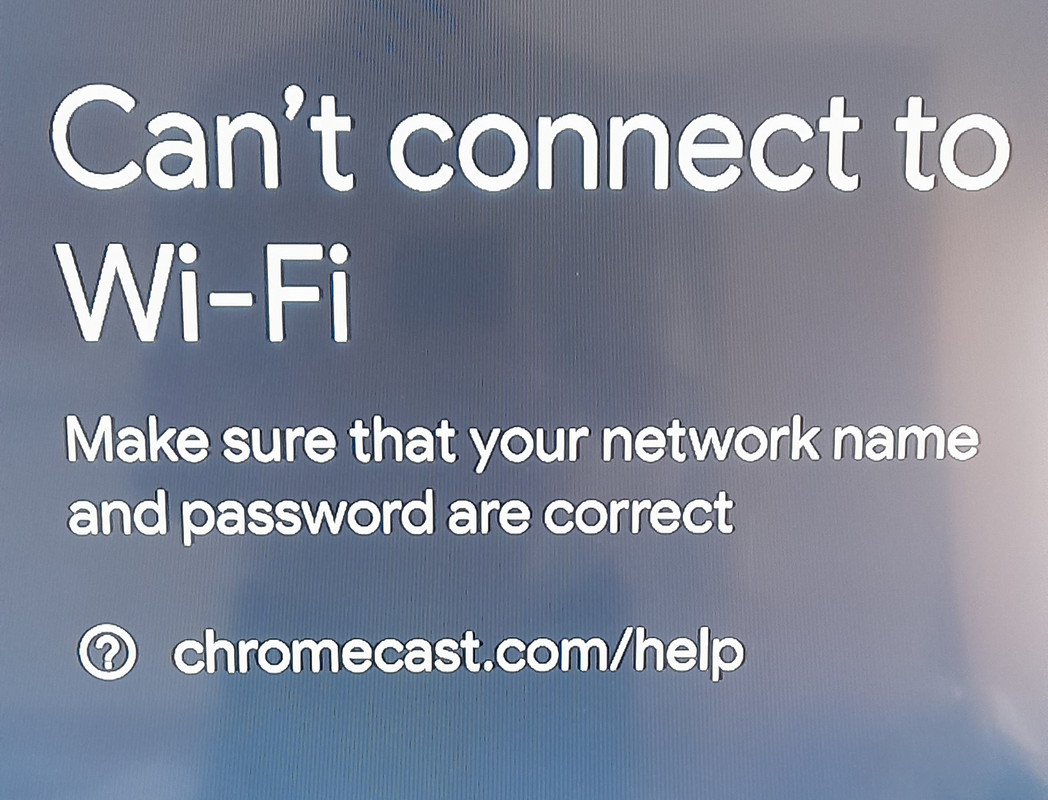
Morgan Ortiz6 said:So, I was trying to get my phone hooked up to the TV. I picked up an Apple AirPlay, followed the manual to a T, and plugged everything into the HDMI and USB ports on my smart TV. On my phone, I went ahead and downloaded "TV Cast for Apple AirPlay." Then, I grabbed the remote, switched the source to that specific HDMI input, and this message pops up on the screen: I tried doing the exact same thing on a different TV, and yeah, same result. The weird part? Nowhere in the instructions does it say anything about needing to connect the TV to the WiFi. Does anyone have a clue what I'm missing here?