I'm working with a Dell Inspiron 15 that’s got those three separate jacks—line, mic, and headphone I honestly can't wrap my head around why I'm getting zero audio from the mic Is there any way to figure out if the microphone itself is shot or if it's actually the soundcard acting up?
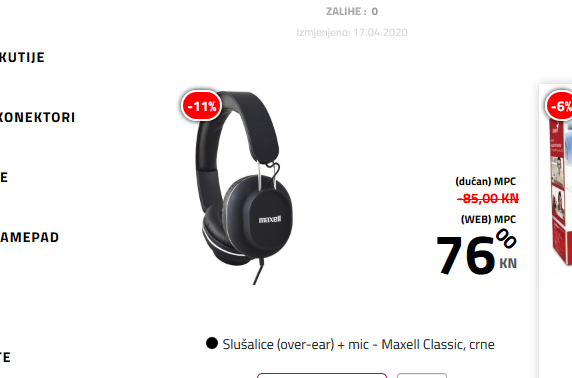
So, my sister ordered these over-ear headphones with a built-in mic—the Kodak ones—and they just got delivered to the house today. The thing is, you can't see a microphone anywhere on them. We actually called the seller, and they're claiming the mic is just tucked away somewhere inside the headset or hidden in the cable itself. Anyway, she plugged them into her laptop jack and we hopped on a Zoom call to test things out. The video works fine, and I can hear her perfectly, but even though she can see me, there’s absolutely no sound coming from her side. Just dead silence. I'm a bit stumped because these only have one single plug. From what I understand, most headsets that include a mic usually need two separate cables—one for the audio and one for the mic input. Does anyone here actually know what might be going on?
I seem to remember, maybe two years back, a buddy mentioned you could actually use a tablet just like a smartphone if you popped a certain kind of card into it. The idea was that the tablet would handle calls and texts just fine, like any regular cell Is there any truth to that? And if so, what kind of SIM card am I looking for?
So, even a buddy of mine gave it a shot using a handful of different PDF editors and those random online converters you find everywhere, but nothing worked. He figured out why, though—turns out the file is locked down with security settings. The person who made it basically set it up so it’s read-only, like a digital vault that won't budge. Is there any actual way to strip that protection away, or am I just hitting a brick wall here?
I just downloaded the manual for my little netbook—it's a PDF—and I really need to get it on paper. It’s about 60 pages long, but there's a 20-page chunk in the middle that's totally useless to me, and I can't for the life of me figure out how to strip those pages out. I’ve already messed around with a few things like Adobe Acrobat Pro and Adobe Acrobat, but nothing seems to be working right. Does anyone have a recommendation for a better program? Here is the PDF file if anyone feels like taking a crack at fixing it for me.
You make a good point there, sending reports straight to your Gmail isn't exactly the safest move if you want to stay under the radar. I remember back in the day—maybe ten years ago, give or take—I messed around with this one keylogger. It was set up so I could just plug in my login credentials on a different site and pull up the full report from the computer I was monitoring, kind of like checking a remote dashboard. The thing is, the name of the software has totally slipped my mind. Anyone here happen to know anything about tools like that?
So, I’ve been hearing about these tools designed for Bark, where parents can basically shadow everything their kids are doing on a computer Just to see how the whole thing works, I went ahead and installed "Norton Anti-Keylogger". I followed all the setup steps, but now I’m stuck at the part where I need to enter my Gmail (Outlook) address so the reports actually get sent to me. It’s asking me for my SMTP server login credentials and my password Does anyone actually know what I’m supposed to put in those boxes?
Can someone walk me through this wireless mic setup? Like, what’s actually doing the heavy lifting when it comes to playing back the audio?? And where am I supposed to plug in the receiver?
I’ve got a bunch of different accounts scattered across Outlook, Yahoo, and Gmail, and I’m really itching to just pull them all into one single email client so I can stop jumping between tabs. I gave "Mozilla Thunderbird" and "Pop Peeper" a shot, and honestly, the Outlook stuff works fine, but whenever I try to send anything through my Gmail account, I hit this annoying error message—even though incoming mail comes through without a hitch. It’s weird because I followed the setup instructions to a T, making sure all the IMAP settings were dialed in correctly. Does anyone know of a different client out there that actually plays nice with everything and won't give me a headache?
So, I finally picked up that Linksys N600 today. It’s supposed to have wireless printing, but I am hitting a massive wall trying to get it to actually talk to my network. I went through the menus on the printer itself, navigated to preferences-wifi, and followed every single instruction to the letter. Everything looks fine on the device side, except for this one line: Wireless enabled - not connected. Then I jump over to my PC, look at the taskbar, and click the wireless icon. I see the network name "Linksys N600" pop up, so I select it and hit connect. The status changes to connected, signal excellent – no internet access. Now there's just this little yellow exclamation point sitting there mocking me. Anyone out there have any idea what might be causing this headache?
I get why some roads might lose their Street View if they were never covered, but I honestly don't get how it just vanishes from places where it was clearly there before. I've been hunting for a link or a way to actually reach out to someone for help with this, but I can't find anything anywhere.
I honestly can’t wrap my head around how the Street View coverage just... vanishes for certain roads. It was working perfectly fine just a few months ago. A little while back, I had zero issues pulling up the street view for the area around 43.506909, 16.596134 over to 43.517560, 16.609140
And even here, there used to be full coverage: running from point 43.510398, 16.617337 all the way to 43.470060, 16.688419
Can anyone else check if they're seeing the same thing? Is the view missing for you too?
My sister is looking to grab a laptop today while there's a sale running over at Walmart, and she’s stuck between these two options: She mostly uses her computer for gaming, so I figured I’d run them by you guys to see which one would hold up better. Now, look, I know some of you are going to jump in and tell me neither of these is actually built for gaming, but let's just skip the lecture—just tell me which one is the lesser of two evils for playing games. Dell “E5-722-423A” LINK 1
Dell “ES1-522-24NK” LINK 2
I need a quick answer if possible since this deal expires at the end of the day.
I just downloaded the latest trial for Premiere Pro, but it won't even launch. It keeps throwing some error message about my graphics card being too weak or something like that. Which version would be considered "old school"—like, back to the 6.5 days? And if there's a free version floating around, where am I supposed to find it? What should I actually type into Google to track it down?
Is there actually a single program that can handle all this at once? Like, one interface where I can just get everything done: 1-Tweak the audio—you know, messing with the EQ, boosting the bass, or smoothing out the highs—directly inside the video editor without having to export the sound to a separate app like Audacity or something else 2-Fix up some footage that’s looking a bit soft by sharpening up those blurry frames a little bit 3-Handle all the visual stuff too, like color grading, adjusting brightness, contrast, and the rest of it
So, I just finished setting up Chrome on my second computer, and everything seems totally fine except for this one annoying little thing. I went ahead and turned on bookmark syncing, and sure enough, all my links showed up perfectly, but for some reason, the actual bookmark toolbar just won't appear in Chrome. I’ve been digging through the settings like a madman, scanning every single option under the menu, but I can't find anything labeled "show bookmarks" anywhere. Honestly, I'm at a bit of a loss here—does anyone happen to know what's going on or how to fix this?