My niece lives on the outskirts of Sedona and she's looking to get internet set up, maybe some cable TV too. I'm trying to figure out how we can find out which service providers actually cover her specific area. Is there a way to check this online? Does anyone have any insight on this?
I’m currently using a laptop that’s about 10 years old. “ACER ASPIRE E1-531” CPU 1.9 GHZ RAM: 2 x 4 GB - DDR3L PC3-12800 (800 MHz)
I recently picked up a second laptop that’s roughly 3 years old. “HP 15-rb031nm” CPU 2.2 GHZ RAM: 4 GB - DDR4-2666 (1333 MHz)
Since this newer machine has a faster processor, I want to swap the memory from the old one into the new one. Before I start tearing things apart, I need to know if the RAM sticks are physically compatible in terms of the pins. I know someone will just tell me to open them both up and check, but the layout on this newer model makes accessing the RAM a bit difficult. If anyone here knows their hardware, I could use some help.
That’s not quite right; it only shows me the building owner's name The property is located at a building in San Francisco and is listed under parcel number 4201/8
I recall about 15 years ago stumbling upon a website where I could just plug in our apartment building's parcel number and see a full list of every owner in the building. I can't for the life of me remember which site it was, but I need those details for an apartment located in San Francisco. Does anyone happen to know where I can find that?
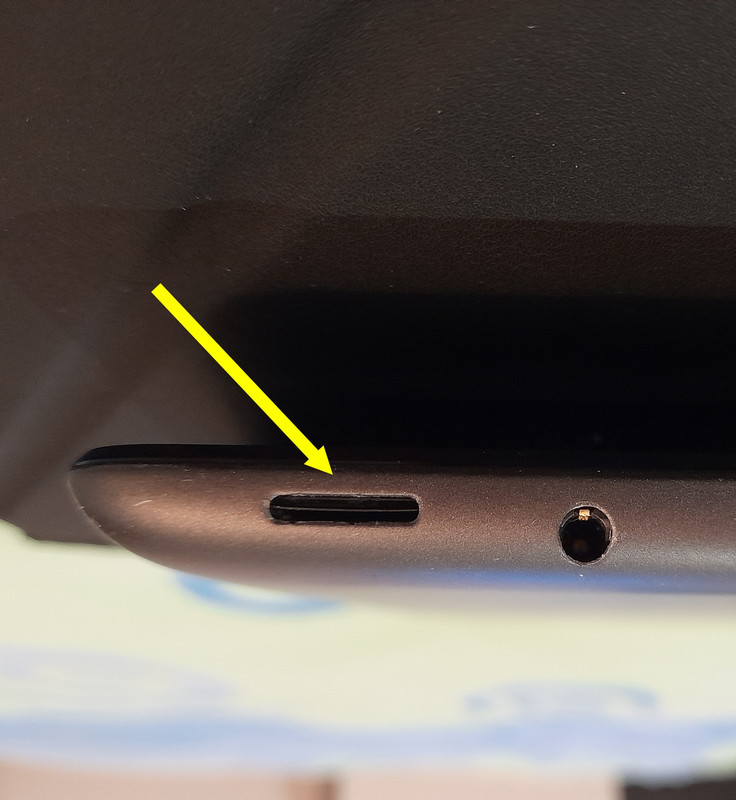
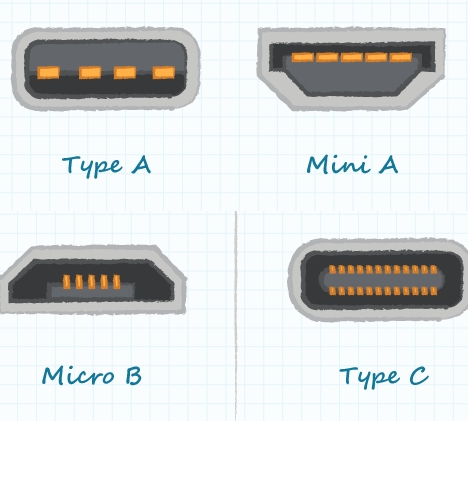
I recently picked up a Dell Latitude tablet, but unfortunately, it didn't come with a power cable. I am unsure of the specific name for the cable I need to search for online. I have attached a photo showing the charging port on the tablet along with an image of the connectors I currently have on hand, though none of them seem to fit. I would appreciate any assistance anyone can provide.
I picked up a laptop running Windows 10, but I'm annoyed that everything is set to American. Is there a way to switch the language to English without having to reinstall Windows entirely?
I didn't actually shrink it down to a smaller size Partition C is currently 92 GB, with about 40 GB used up My goal was to reduce it to 75 GB Take a look at this video here
On Windows 10 I have three partitions (C:, D:, and E🙂), and I am trying to make some adjustments, but I can't get them to work I used a program called "MiniTool Partition Wizard Pro" My first step was to shrink the C: partition; I selected C: and chose move/resize I used the right slider to reduce the size, and once I hit OK, an unallocated partition appeared Now, when I click Apply at the top, I get an "invalid configuration file" error message Does anyone know what might be causing this issue?
You’re right, I found it. Now that I have that sorted out, I’d love some help figuring out how to download this episode from a series (I’m already logged in with my CBS account) IDM isn't working for me; it just shows about 50 tiny fragments, each one barely 500 KB
I used IDM (on Google Chrome) to grab it, but now I can't figure out where the file actually went. Google Chrome usually puts everything in my Downloads folder, but this specific video isn't showing up there. I've searched everywhere on my drive and can't find a trace of it, even though the download hit 100% successfully.
I've been losing my mind trying out different tools to grab videos, but I just can't seem to pull anything from this website It’s honestly hard to believe there isn't a single way to do it Does anyone here actually have a solution?
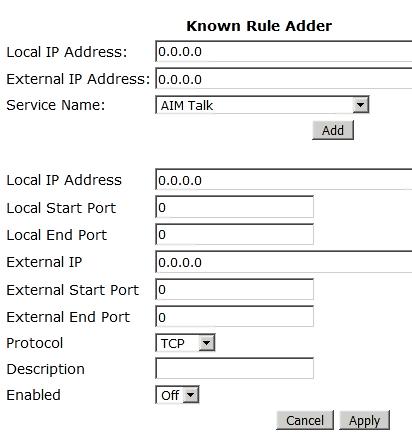
I just launched the "IP webcam" app on my phone, and it shows 192.168.0.13:8080 . Checking the cmd/ipconfig window on my PC, I see: IPv4 Address ..... 192.168.0.26 . My router is a Netgear model . I am unsure what specific information needs to be entered into my router's port forwarding settings. Here is what my current port settings look like:
I have an old smartphone I want to repurpose as a security camera for my vacation home back in rural Montana. I’ve tested a few apps that seem to work fine, but there's a catch: the house is on a completely different network than where I am now. I’m stuck on how to configure the settings so I can actually view the feed remotely from a different connection. So far, I’ve installed these: “IP webcam pro” “WebcamXP” “DroidCam” Does anyone here know how to set this up for remote access?
I ran the scan and it claims there aren't any errors at all The issue persists It makes no sense why the update won't go through when it keeps prompting me to do it
I have relied on Microsoft security essentials to protect my PC for years, but a few days ago, I ran into an issue I simply cannot resolve. I spent some time searching through the Microsoft support pages for a fix, but nothing worked.
Down in the system tray, I see this message: Microsoft security essentials / computer status: potentially unprotected - Update definitions Every time I click on "Update definitions" I get this error:
Virus and spyware definitions cannot be updated. The application is unable to search for virus and spyware definition updates. Please check your internet or network connection and try again.
I reached out to their support department, but they just keep redirecting me to various webpages that offer no actual solution to my specific problem. Does anyone know how to handle this?
I don't know, I just can't bring myself to download those massive videos just to get one tiny clip, especially when they're all two or three hours long. I wouldn't be stuck like this if I hadn't been using a site that let me pull any specific segment effortlessly, but I was careless and didn't save the link.
I’m having zero luck with this. Every time I reach the final step, I get an error message stating, "ClipConverter is not available for videos containing music." I have tested five different videos from YouTube, and they all trigger the exact same message. I simply cannot figure out what the issue is.